Waves TRACT SPL Meter

Sale price$ 24.99 Regular price$ 49.99
Save $ 25.00
SKU: TRCTSPL

Call us at 1-877-223-8858 or Ask a Question below

Waves TRACT SPL Meter

Model

Waves TRACT SPL Meter

TRACT SPL Meter

Overview

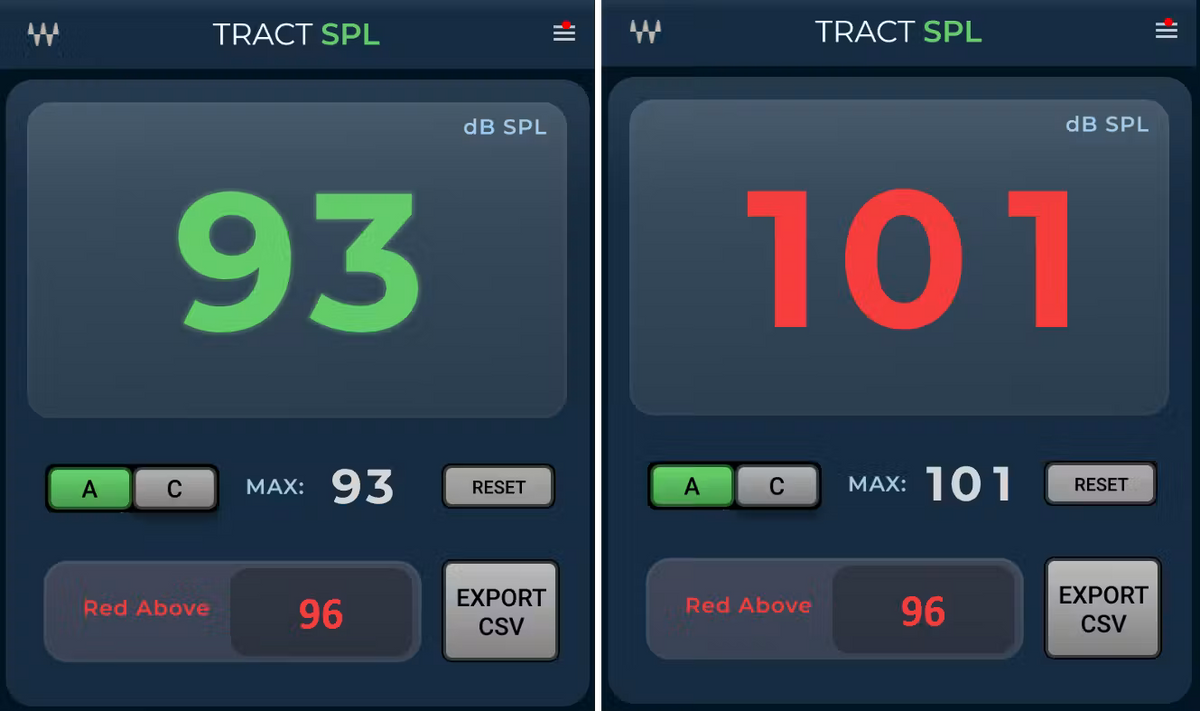
TRACT SPL Meter is a professional sound-pressure-level monitoring tool designed to provide clear, real-time measurement of acoustic levels. It is useful for engineers working in studio calibration, live sound, system alignment, broadcast, and other environments where accurate monitoring of sound pressure levels is important.

The meter provides a straightforward visual reference for monitoring SPL, helping engineers evaluate listening levels and maintain consistent acoustic conditions during setup and operation.

Key Features

  • Real-time sound pressure level monitoring

  • Clear, easy-to-read SPL display

  • Designed for professional audio measurement and system setup

  • Useful for studio monitor calibration and acoustic evaluation

  • Helps engineers maintain consistent listening levels

  • Suitable for live sound and installed sound applications

  • Useful for broadcast and production environments

  • Practical tool for system alignment and troubleshooting

  • Designed for fast, continuous level monitoring

Technical Specifications

  • Plugin Type: SPL Meter / Audio Measurement

  • Primary Function: Sound pressure level monitoring

  • Measurement: Real-time SPL

  • Application: Acoustic measurement and system setup

  • Use Cases: Studio calibration, monitoring, live sound, broadcast, system alignment

  • Processing: Metering / measurement utility

  • Formats: VST3, AAX, AudioSuite, AU

  • Platforms: macOS and Windows

TRACT SPL Meter provides a dedicated visual reference for acoustic level monitoring, making it a useful utility for professional studio, live sound, broadcast, and system-calibration workflows.

Check out our featured projects

SVG Background

FAQS

Have a question?

Our Customer support is available Monday to Friday, 8 - 10 est. Contact us with your questions or to get a quote request.